
Khelogy Logo for website header

Categories

Suggestions

No games found matching ""

Press Enter to search
Appearance
  • Strike the Can 99 Balls game featuring a ball aimed at a pyramid of yellow cans on a wooden barrel platform.

    Strike the Can 99 balls

    Physics Games

    Mobile
  • My Pocket Galaxy Universe Planet Information game featuring a spiral galaxy with labeled planets, stars, and space objects.

    My Pocket Galaxy Universe Plannet Information

    Simulation Games

    Mobile
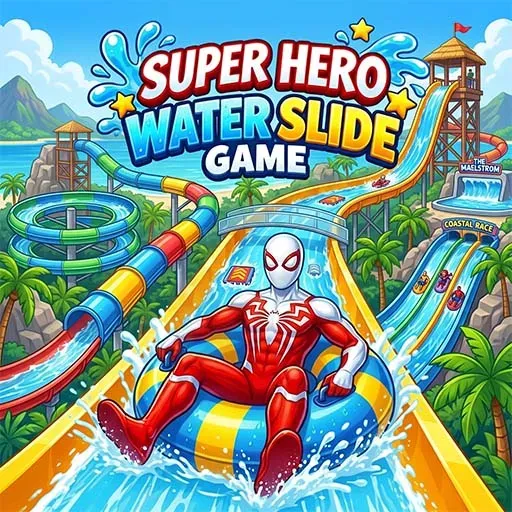
  • Super Hero Water Slide Games featuring a superhero riding a water slide inside a circular outline.

    Super Hero Water Slide Mega Aqua Racing Adventure Fun Play

    Adventure Games

    Mobile
  • Baby Doll House Cleaning Game featuring a messy dollhouse being cleaned with a spray bottle and cloth.

    Baby Doll House Cleaning Game

    Simulation Games

    Mobile

Airplane Realistic Flying Game

Rating:
No Rating (0 votes)
Released:
Last Updated:
Technology:
HTML5
Platforms:
Browser (Mobile, Tablet, Desktop), Khelogy App (iOS, Android)

About Airplane Realistic Flying Game

Free Online Games – Play Instantly, No Downloads Needed

Nobody wants to download a huge game file just to kill ten minutes on a break. That's the whole point of Khelogy. Open a tab, pick a game, start playing. No installs, no waiting around, no "your device doesn't meet requirements" messages.

Whether you're into fast-paced action, brain-melting puzzles, or something you can just zone out with, there's a good chance it's already sitting in our library.

What Kind of Games Will You Find Here?

This isn't a site with fifty games and a bunch of empty categories. There's real depth across genres — action games for quick reflex testing, puzzle games for a brain workout, racing for speed junkies, and simulation for people who like building or managing things. Horror is there too, if a bit of a scare between tabs sounds fun.

Sports fans get their fix. Card and board game lovers aren't forgotten either. And if there's only five minutes to spare, casual and hyper casual games are basically made for that.

  • Action—Fast reflexes, quick rounds, instant replay value
  • Puzzle—Logic challenges that scale in difficulty
  • Racing—Speed, drifting, track-based competition
  • Simulation—Build, manage, or experiment with virtual systems
  • Sports—Competitive gameplay across real sports formats

Why Play Browser Games Instead of Downloading Apps?

Convenience wins, honestly. Downloaded games eat up storage, need updates, sometimes even need an account just to save progress. Browser games skip all of that. Close the tab, come back later, it's still right there waiting.

There's also no risk of some sketchy file messing with a phone. Everything runs straight in the browser — clean, fast, safe.

Do These Games Work on Mobile?

Yes. Most of the catalog runs across mobile, tablet, and PC without any extra setup. A few games work best on desktop because of keyboard or mouse-based controls, but the majority adjust smoothly to touch on phones and tablets.

Desktop players get the advantage of bigger screens and precise controls, which matters for genres like racing or shooting where reaction time counts. Mobile and tablet users get the flexibility of playing anywhere — during a commute, on a break, or just lying around at home. Either way, nothing gets locked behind a specific device.

Screen size adjusts automatically too, so there's no pinching or zooming to fit a game properly. Whether it's a laptop, an old tablet, or a mid-range phone, the games load and scale without extra tweaking needed.

Game Controls

================================================================

AIRPLANE FLIGHT SIMULATOR 3D - PC CONTROLS & PLATFORM GUIDE

================================================================

Target Website : khelogy.com

Platform Support: WebGL (PC / Desktop & Mobile Browsers)

Cross-Platform : PlatformDetector.IsMobile() automatically toggles

between Mobile Touch & PC Keyboard/Gamepad Controls.

----------------------------------------------------------------

1. PC KEYBOARD, MOUSE & GAMEPAD CONTROLS REFERENCE

----------------------------------------------------------------

ACTION PRIMARY KEYS SECONDARY KEYS MOUSE / GAMEPAD

----------------------------------------------------------------------------------

Pitch Nose Up / Down W / S Up / Down Arrow Mouse Y / Left Stick Y

Roll Bank Left / Right A / D Left / Right Arrow Mouse X / Left Stick X

Yaw Rudder Left / Right Q / E -- Gamepad Bumpers / Triggers

Throttle Up (Speed Up) Left Shift / Space W / Up Arrow Gamepad Right Trigger

Throttle Down (Brake) Left Ctrl S / Down Arrow Gamepad Left Trigger

Switch Camera View C V Gamepad Button Y / North

----------------------------------------------------------------

2. CONTROLLER & PLATFORM DETECTION MECHANISM

----------------------------------------------------------------

- The game uses `PlatformDetector.IsMobile()` to detect device context:

* Desktop PC Browser (WebGL) -> DesktopController() enabled (Keyboard/Mouse/Gamepad)

* Mobile Browser (WebGL) -> MobileController() enabled (On-screen Touch UI)

* Native Mobile (iOS/Android) -> MobileController() enabled

----------------------------------------------------------------

3. QUICK START TIP FOR WEBGL PLAYERS (khelogy.com)

----------------------------------------------------------------

- Hold [W] / [Up Arrow] / [Left Shift] / [Space] to increase engine speed and takeoff.

- Use [W] / [S] / [Up] / [Down] Arrow keys or Move Mouse up/down to adjust Pitch (climb/descend).

- Use [A] / [D] / [Left] / [Right] Arrow keys or Move Mouse left/right to Bank (roll left/right).

- Use [Q] / [E] to adjust Rudder Yaw (turn left/right).

- Press [C] or [V] to switch between Cockpit, Orbit, and External Camera angles.

================================================================

FAQ's

Yes, everything is free to play. No hidden charges, no premium unlocks blocking gameplay.

No account needed for most games. Just click and play.

New titles get added regularly across every category, so the catalog keeps growing.

Yes, most games are optimized for mobile and tablet, not just desktop.

No sign-up wall stands between you and the games.