
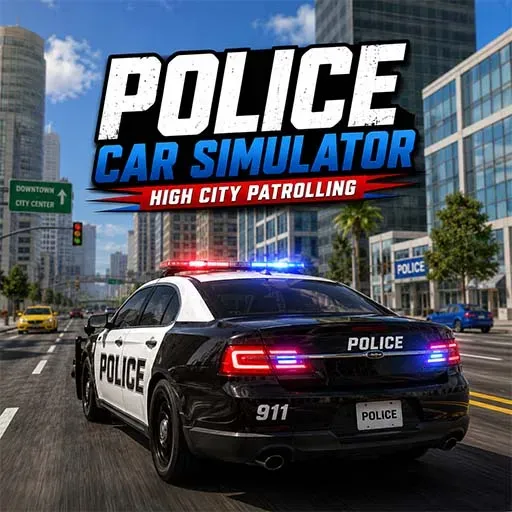
Police Car Simulator High-City Patrolling
Game Specs
- Developer / Studio
- Khelogy
- Technology
- HTML5 / WebGL Browser
- Device Support
- PCAndroidiOS
- Orientation
- Horizontal
- Release Date
- Jul 18, 2026
Related Police Simulation Games Games
Handpicked titles you might also enjoy




About Police Car Simulator High-City Patrolling
Overview & gameplay details
Police Car Simulator High City Patrolling is a police car simulator focused on driving a police vehicle through a detailed city environment. You get a third-person view behind the car while navigating streets surrounded by tall buildings, roads and urban scenery.
The game keeps the driving experience straightforward. A mini-map helps you understand the surrounding streets, while the screen also shows your speed, health and remaining time. Your main focus's staying in control of the police car as you move around the city.
Drive a Police Car Through the City
The main attraction of this police car game's the driving experience itself. Take control of the police vehicle and travel along the city roads while keeping your car under control.
The third-person camera gives you a clear view of the road ahead, making it easier to see the surrounding buildings and keep track of where you're going.
Patrol the City Streets
As a police patrol game, the experience centers on driving around an urban environment from a police car. Explore the streets and move through different parts of the city while keeping an eye on the road.
The city layout gives you plenty of streets to navigate, while the mini-map provides a genuinely useful overview of your surroundings.
Follow the City Map
The circular mini-map on the screen shows the nearby streets and your current position. Checking the map helps you understand which direction you're facing and where the surrounding roads lead.
Using the map together with the main driving view makes it a lot easier to stay aware of your location while exploring the city.
Keep Control of Your Police Car
The game displays several useful indicators while you drive. The speed display shows how fast the vehicle's moving, while the health bar lets you keep an eye on the car's condition.
There's also a timer on screen, giving the driving experience an additional time-based element as you move through the city.
Police Car Simulator Features
- Police Car Driving – Control a police vehicle from a third-person driving view.
- City Patrol Gameplay – Drive through an urban environment while exploring the streets.
- Police Vehicle – Take control of a police car and navigate the city.
- City Mini-Map – Check the nearby roads and your current location.
- Speed Display – Monitor your vehicle's current speed while driving.
- Health Indicator – Keep track of the police car's visible health status.
- Patrol Timer – Watch the on-screen timer while you drive.
- Urban Driving Environment – Navigate roads surrounded by city buildings and streets.
Tips for Police Car Driving
- Keep your attention on the road while driving through the city.
- Check the mini-map when you need to understand your direction.
- Avoid careless driving that can affect the vehicle's health.
- Watch your speed while navigating the streets.
- Use the third-person view to keep track of the road ahead.
- Check the health indicator regularly during your drive.
- Keep an eye on the timer while exploring the city.
Why Play Police Car Simulator High City Patrolling?
Police Car Simulator High City Patrolling is a solid pick if police car driving simulators and city-based driving games are your thing. The game puts you behind the wheel of a police vehicle and gives you a whole urban environment to explore.
That combination of third-person driving, a city mini-map, speed display, health indicator and patrol timer gives the game a straightforward driving experience without complicated mechanics.
Play Police Simulator Game Online on Khelogy
Ready to take the police car onto the city streets? Play Police Simulator Game online on Khelogy and drive through the urban environment, follow the roads, check your map and keep your police vehicle under control.
Police driving games, police patrol games, police car games online, or police car simulators — whatever you're after, this game gives you a simple browser-based driving experience from behind the wheel of a police vehicle.
How to Play & Controls
Master the mechanics and keyboard shortcuts
Controls
PC Controls
- W / Up Arrow – Accelerate and drive forward.
- S / Down Arrow – Brake or move backward.
- A / Left Arrow – Steer left.
- D / Right Arrow – Steer right.
Mobile Controls
- On-Screen Driving Controls – Use the touch controls provided on the screen to accelerate, brake and steer the police car.
- Touch – Tap the available driving controls to control the vehicle.
Instructions
- Start the game and take control of the police car.
- Drive forward through the city streets.
- Use the mini-map to understand your location and nearby roads.
- Watch the road while keeping your vehicle under control.
- Keep an eye on the speed indicator as you drive.
- Monitor the vehicle's health during your journey.
- Continue exploring the city while staying aware of your direction.
Frequently Asked Questions
Have questions about playing Police Car Simulator High-City Patrolling? Here are quick answers.
Police Car Simulator High City Patrolling is a police car simulator where you drive a police vehicle through a city environment.
Yes. The main gameplay involves controlling a police car and navigating through urban streets.
Yes. A circular mini-map is displayed on the screen to help you understand the nearby roads and your location.
The game displays information such as the vehicle's speed, health and a timer while you drive through the city.
Yes. The game focuses on driving a police vehicle through city streets from a third-person perspective.
Yes. You can play Police Car Simulator High City Patrolling online through Khelogy directly in your browser.