
Related Games

Creative Coloring and Drawing Book
- Rating:
- No Rating (0 votes)
- Released:
- Last Updated:
- Technology:
- HTML5
- Platforms:
- Browser (Mobile, Tablet, Desktop), Khelogy App (iOS, Android)
About Creative Coloring and Drawing Book
A Digital Coloring Book Filled With Creativity
This one is not about scores or finishing first. It is about picking up a color and seeing what happens.
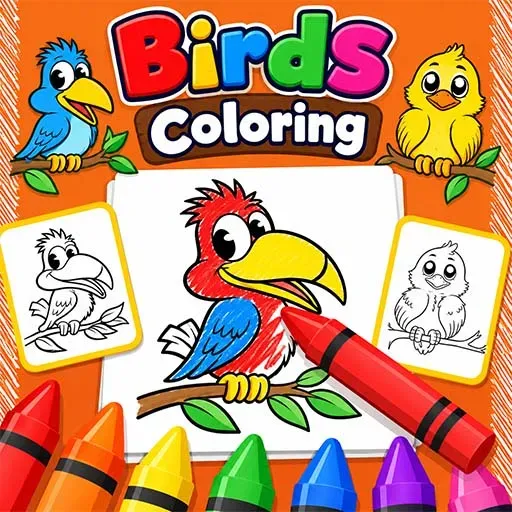
The game opens with a collection of drawings sitting ready to be colored. A cartoon monkey, bright pinks and yellows, purple where you might least expect it — nobody is telling you what goes where. Every player ends up with something that looks completely different from what anyone else made. That freedom is there from the first second and it does not go away.
Coloring Becomes More Than Filling Empty Spaces
It looks simple at first. Pick a color, fill a space. But the range of pencils, brushes and tools on offer quickly makes it clear there is more room to play than the basic idea suggests.
Realistic shading, completely imaginative color choices, mixing things that probably should not go together — all of it works here. The game does not push you toward any particular style. It just hands you the tools and gets out of the way. Every finished picture ends up feeling like it actually belongs to the person who made it.
Plenty Of Tools To Experiment With
The left side of the screen holds a row of pencils. The bottom toolbar adds brushes, paint options and more on top of that.
Fine detail work and broad sweeping color both have tools built for them. Smaller adjustments around edges, quick fills across larger sections — switching between approaches depending on what the picture needs keeps the whole process from feeling like the same action repeated over and over.
Easy To Use For Younger Players
Young kids can jump straight in without needing anyone to explain anything first.
The buttons are large, the interface is colorful and the tool selection is laid out in a way that makes sense without instructions. A child who has never touched a digital art app before will have the basics figured out within a couple of minutes. Nothing is buried in menus or hidden behind complicated steps.
The focus stays on making things, not figuring out how the software works.
Saving And Improving Artwork
Undo and redo buttons sit in the interface and they get used more than you might expect.
A color that looked right before it went on the picture sometimes does not look right after. That is fine here. One tap and it is gone. No starting over from scratch, no frustration — just a quick fix and back to it. That safety net makes experimenting feel low-risk, which is exactly when the most interesting creative choices tend to happen.
Why It Is Easy To Spend Time Coloring
There are no enemies, no timers and nothing demanding your attention every few seconds.
Just pictures, colors and however long you want to spend on them. Finishing one page usually leads straight into opening the next one, not because anything is pushing you forward but because there is another drawing sitting there waiting. It is the kind of game that fits into a quiet ten minutes just as easily as a longer sit-down session.
Game Features
- Digital coloring book with a collection of fun and friendly illustrations to work through
- Multiple tools including pencils, brushes and paint options for different effects
- Large color palette for building unique combinations across every picture
- Undo and redo functions so mistakes are never permanent
- Zoom controls for getting into the smaller details without losing accuracy
- Printable artwork options for keeping finished creations beyond the screen
- Simple interface built for children and casual players from the ground up
- Free drawing tools for going beyond the preset illustrations
- No timers, scores or pressure of any kind
- Browser-based with nothing to download or install
Strategy Tips
- Start with the bigger areas before moving into anything detailed
- Try different shades of the same color rather than sticking to one flat tone throughout
- Zoom in when coloring around eyes, faces or anything with small features
- Switch between tools instead of doing everything with a single pencil
- Forget about realistic colors if a more imaginative version sounds more interesting
- Use undo freely when testing combinations — that is what it is there for
- Keeping similar colors close to each other usually gives a cleaner finish
- Take your time with it. Nothing here is going anywhere
Game Controls
For PC
- Left Mouse Button — Select colors, pick drawing tools and apply color to the artwork.
- Click And Drag — Draw lines, fill sections and build out artwork across the page.
- Tool Selection — Switch between pencils, brushes and other coloring options.
- Undo/Redo Buttons — Fix mistakes or bring back something that looked better before.
For Mobile
- Screen Tap — Select colors, tools and menu options.
- Touch And Drag — Color images, draw lines and work directly on the picture.
- Tool Buttons — Swap between brushes, pencils and other creative tools.
- Touch Controls — Zoom in, edit and move between available coloring pages.
How to Play
- Open a coloring page and pick a picture to work on.
- Choose a color from the palette along the bottom of the screen.
- Pick a pencil, brush or drawing tool depending on what you are going for.
- Tap or drag across the picture to start putting color down.
- Try different shades and see what combinations feel right.
- Use the zoom controls when working around smaller details.
- Hit undo or redo whenever something does not look the way you wanted.
- Keep going until the picture looks the way you want it to.
FAQ's
A digital coloring game where you color pictures, draw freely and try out different creative tools without any scores, timers or pressure involved.
Yes, completely free and runs straight in your browser.
Nothing to download or install. Open it and start coloring.
Yes. The controls are simple, the artwork is colorful and younger players can get started without any help.
Yes. Undo and redo are both right there in the interface and work instantly.
Choosing your own colors, trying different tools and ending up with something that looks completely different from what anyone else made. Every session goes its own direction.